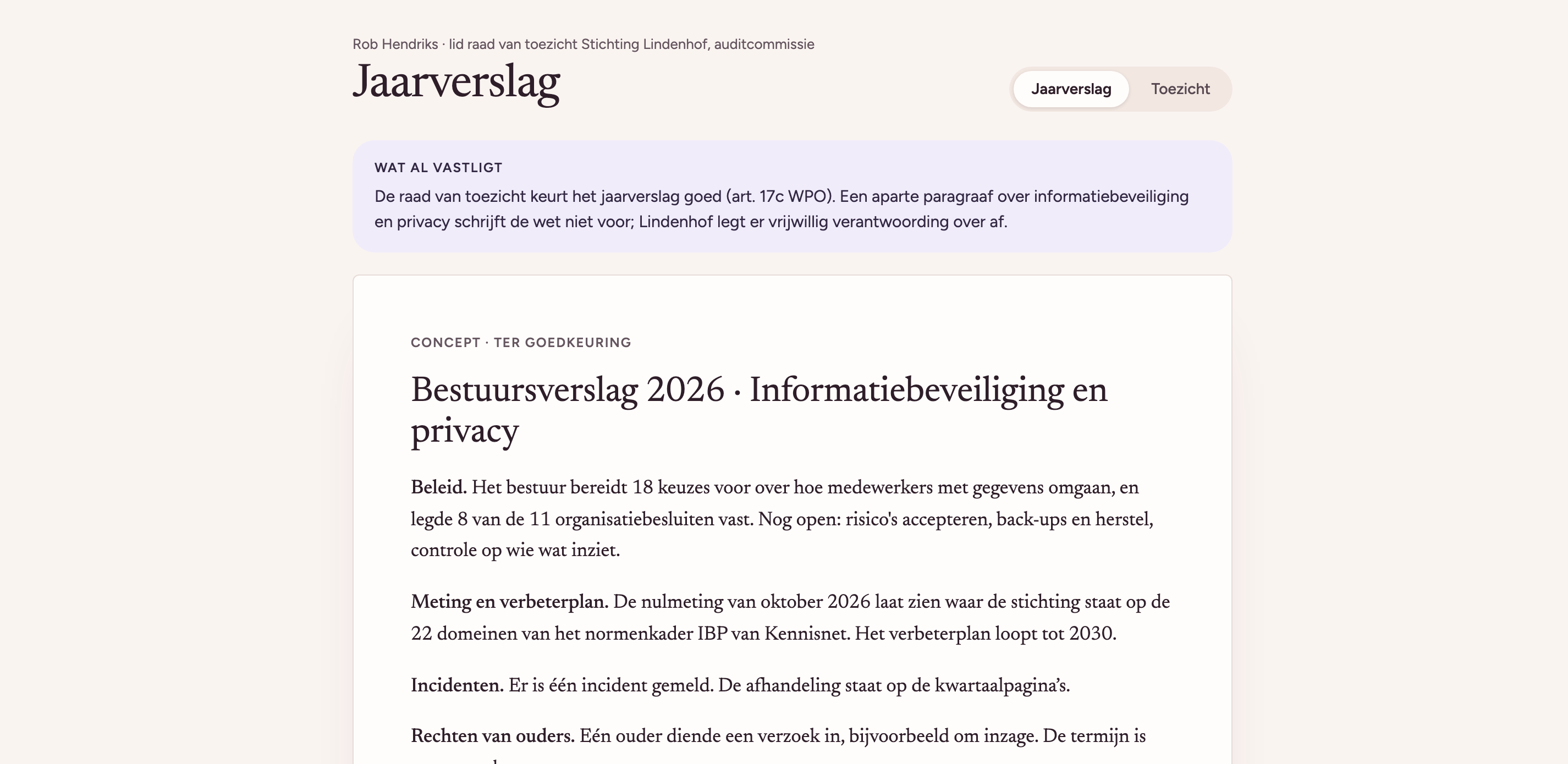
With Paraaf, privacy is simply part of the day. Staff ask a question and get an answer. The board knows where the school group stands, and can show it too.
An answer when you need it
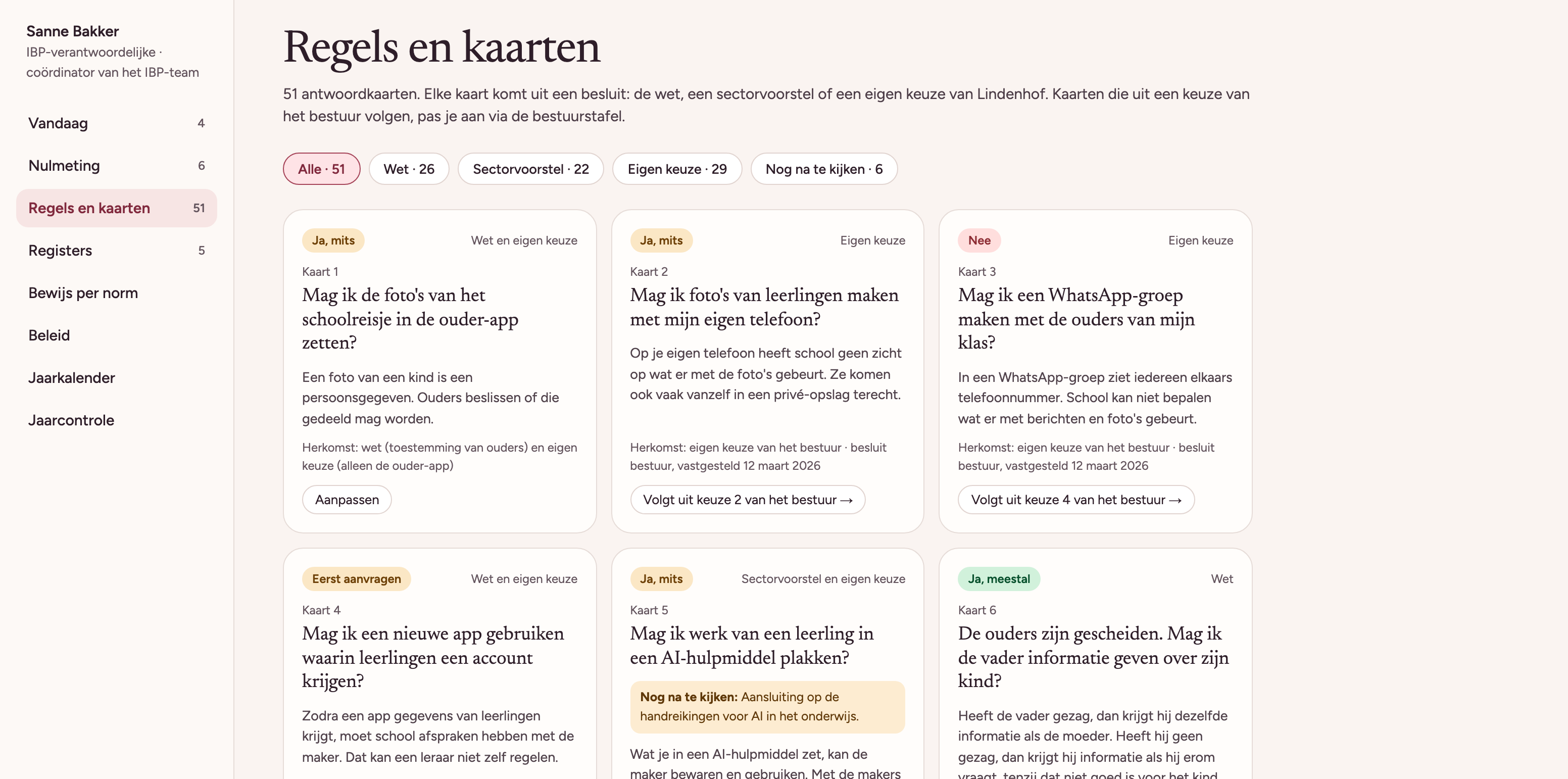
Every decision the board makes becomes an answer card in Paraaf. If a teacher wants to know whether they can use an app or post a photo, they look it up and see straight away whether it's allowed, under what condition, and what to do next.
The school can see which questions get asked a lot, but not who asked them. If the same question keeps coming up, that tells you the policy needs to be clearer on that point.
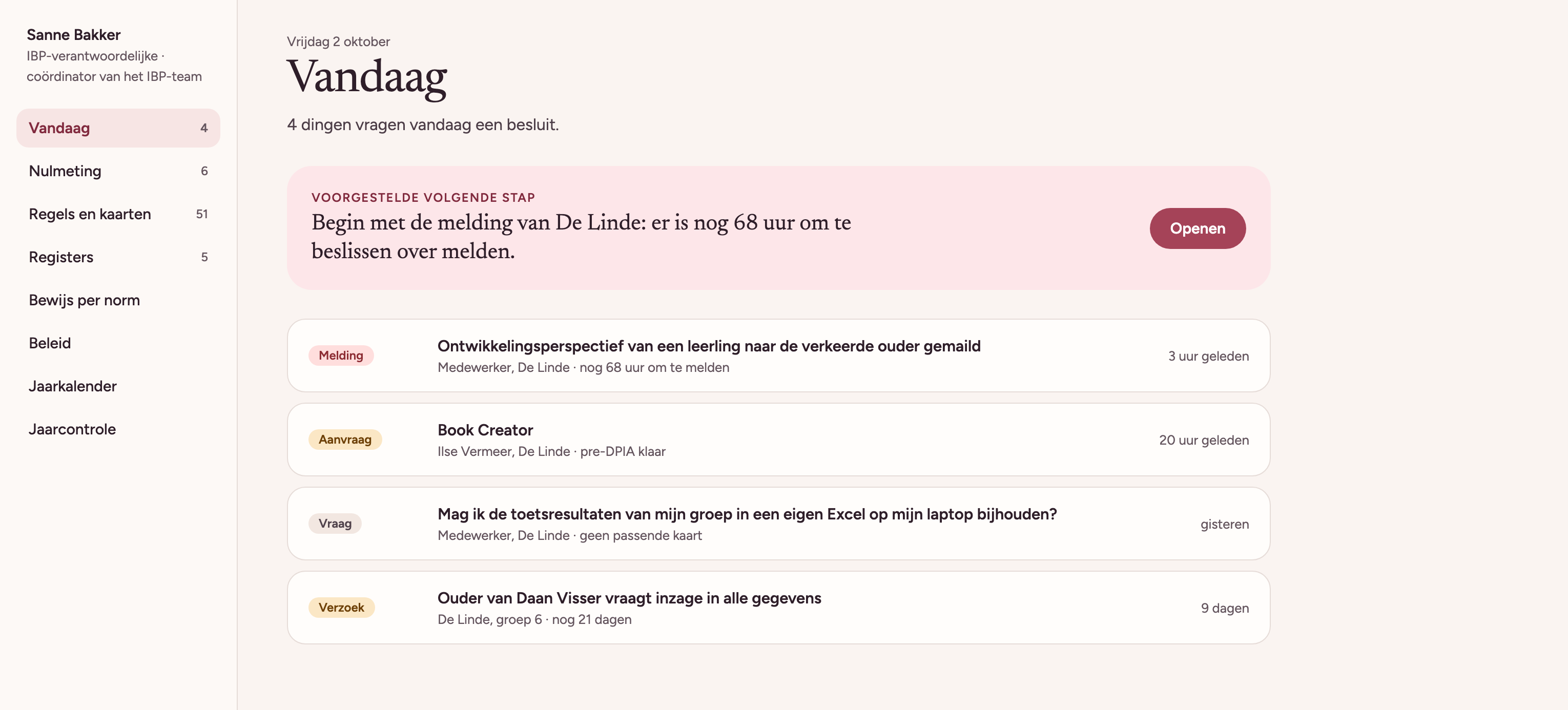
What's on the list today
The person responsible for information security and privacy no longer has to keep everything in their head. Paraaf puts what's waiting today on one list, like an app that still needs approval or a report someone still has to follow up.
Ready for the audit
Paraaf pulls in data from systems schools already use, such as Microsoft 365 and Entree. We use Kennisnet's examples as the starting point. When someone requests an app or files a report, it ends up in the right register automatically.
So when an audit comes, nobody has to go hunting for everything first. And every quarter the board gets one page showing where the school group stands.